On this page
Connecting a metering point
To receive your energy data, you need to connect your metering point to energiedaten.at. This works via a data request to your grid operator — no technician visit or hardware installation required.
What you need
- Your metering point number: A 33-character code starting with "AT" (e.g.
AT0010000000000000000000000123456). You'll find it on your electricity bill or in your grid operator's customer portal. - Your grid operator: Identified automatically when you enter your metering point number.
Step by step
1. Connect a metering point
Click "Connect Metering Point" in the app and enter your metering point number. The platform automatically identifies and displays your responsible grid operator.
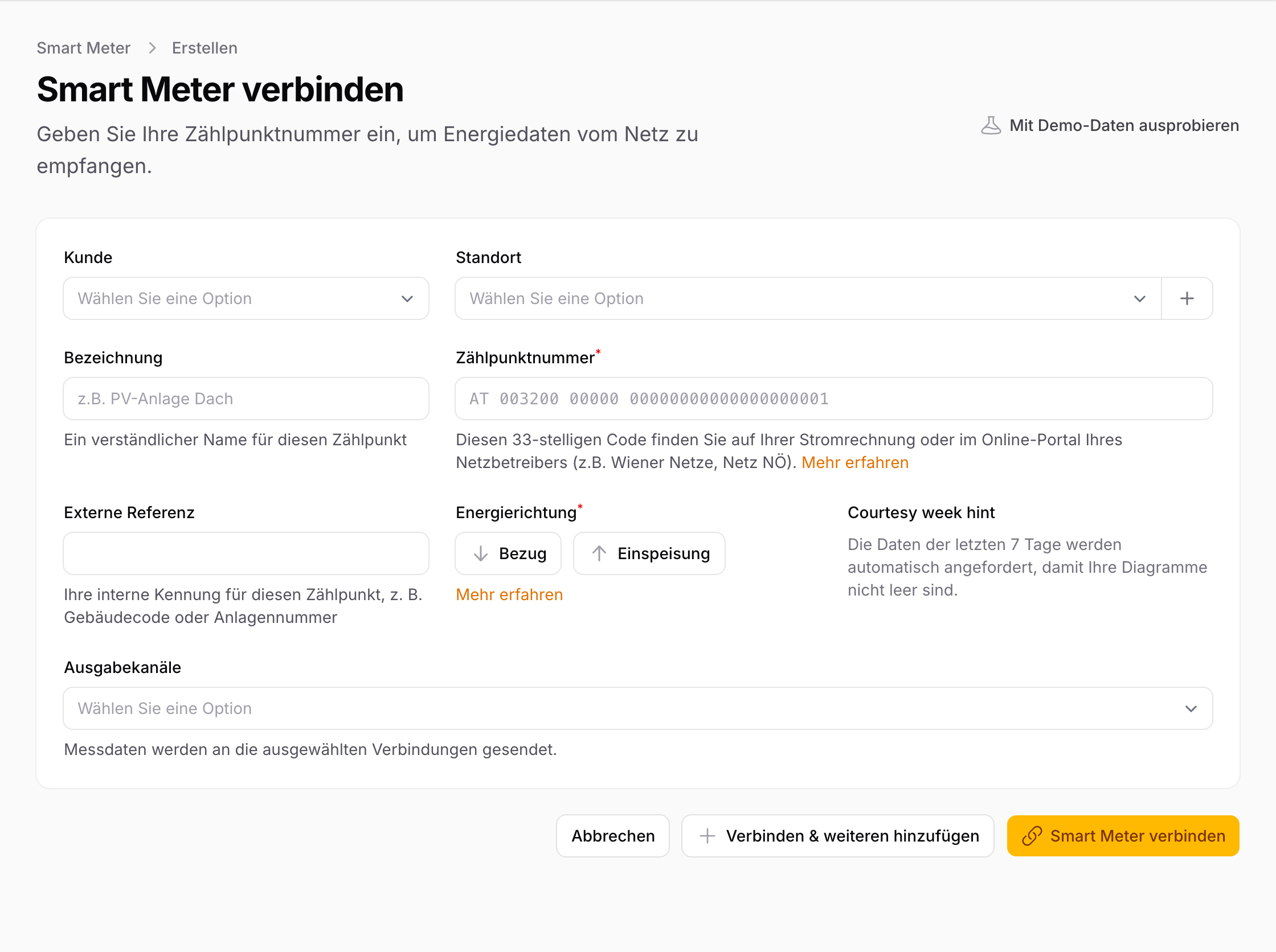
2. Start the connection
Click "Connect Metering Point" at the bottom of the form. This sends a data request to your grid operator via the EDA network.
3. Wait for a response
The grid operator checks whether the metering point number is valid and registered in their system. This usually takes only a few minutes. The page updates automatically — you can wait or come back later.
4. Confirm consent
Once the grid operator accepts the request, you need to confirm consent in their online portal. You have 30 business days to do this. More details at The Consent Process.
Frequently asked questions
Can I connect multiple metering points? Yes — for example consumption and feed-in separately, or metering points at different locations. The maximum number depends on your plan.
How do I know which grid operator is responsible? The first characters of the metering point number identify the grid operator. The platform recognises it automatically.
What does the connection cost? The data request via the EDA network is free for you as an end customer. You only pay for your energiedaten.at plan.
