For energy consulting

Use your clients' meter readings in your consulting work

The contract holder, usually your client themselves, approves the data sharing once in the grid operator’s portal. You receive historical and ongoing readings for your first analysis and follow-up work, in your consulting software or in energiedaten.at.

Your clients’ meter readings

energiedaten.at

Your consulting software

CSV, XLSX or data connection

Analysis in energiedaten.at

Load profiles, daily patterns and peaks

Use energiedaten.at alongside your software.

The readings come from the grid operator responsible for the metering point, the same source as the electricity bill. The contract holder approves the data sharing; you manage everything else in your account.

  1. 01

    You request the data

    Add your client's metering points, the 33-digit numbers on their electricity bills, and start the request.

  2. 02

    Contract holder confirms

    The contract holder approves data sharing in their grid operator's portal.

  3. 03

    You check the connection status

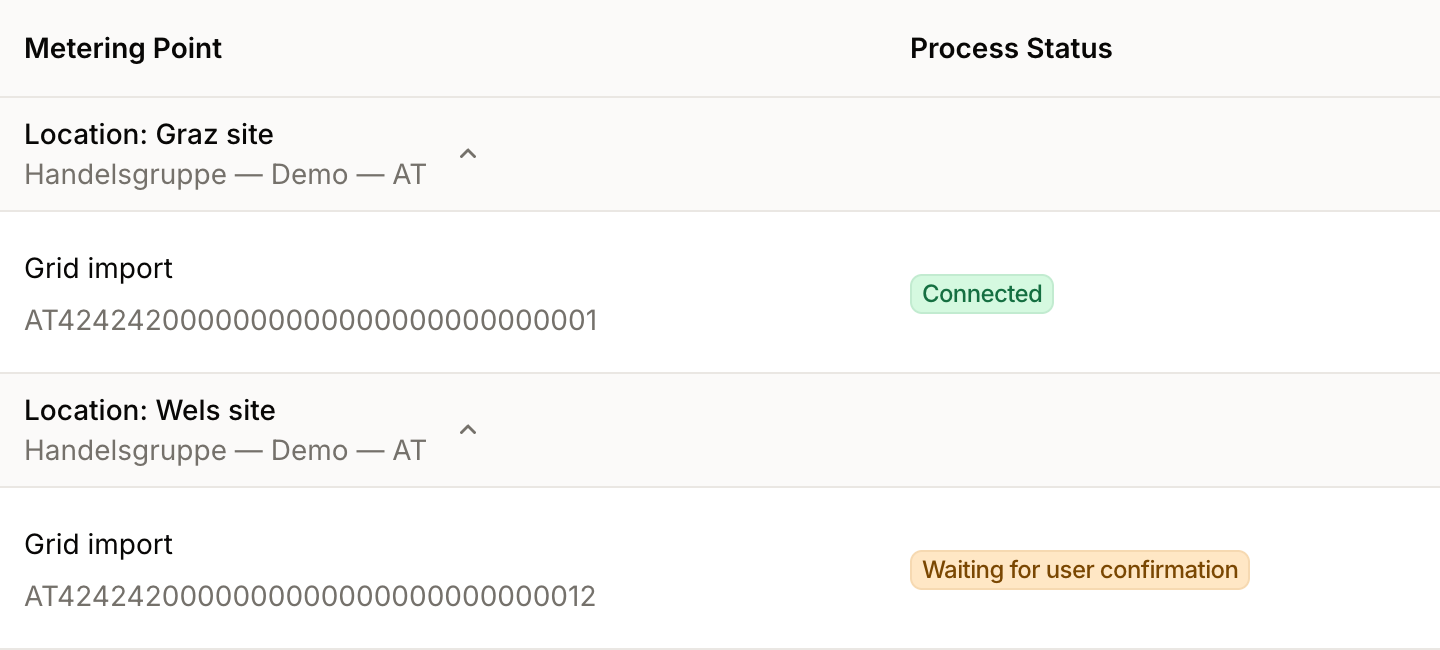
    Your overview shows which connections are waiting for confirmation and which are already delivering data.

    How smart meter connection works Metering point list with Wels awaiting confirmation and a connected Graz metering point
Use historical readings for your first analysis

When connecting a metering point, you can also request readings for the past one, two or three years, depending on your plan. Which readings exist depends on the metering point; older periods may arrive at daily resolution.

Compare earlier months to see whether the current load pattern is new or has occurred before.

Compare the historical period by plan

Historical and ongoing readings

Example site · Grid consumption

Requested historical period
March 7, 2025 to March 6, 2026
Ongoing delivery
Since March 7, 2026
Delivered readings
March 7, 2025 to September 6, 2026

Continue working in your consulting software

Bring the readings into the tools you already use for analysis and client reports. Scheduled exports provide CSV or XLSX files by email; a webhook, MQTT or SFTP connection can feed the readings into your system.

Workflow illustration

Readings for your client

Client
Handelsgruppe Demo
Site
Example site
Metering point
Grid consumption

CSV or XLSX file, webhook or SFTP

Matched to your software's import options

Your consulting software

Your analysis and client reports

Explain consumption, feed-in and peaks

Analyse consumption and feed-in directly in energiedaten.at. Load profiles and daily patterns show when energy flows; power peaks help you discuss how heavily the grid connection is used.

Overnight demand and changes in the load profile help you identify periods for further investigation. Feed-in readings show exported energy at the grid connection. Measured values, estimates and gaps remain distinguishable.

View energy analysis
Graz grid-import load profile with markers for overnight demand and the change in the load pattern
1 2
Grid consumption · September 2, 2026 to September 3, 2026
  1. 1 Overnight demand
  2. 2 Changed load pattern

Prepared overviews for your client analysis

The energy balance compares consumption and feed-in across your clients’ sites. The annual overview (preview) shows how both change month by month.

With the peak loads report, compare monthly power peaks in kW for each consumption and feed-in metering point.

For clients who participate in energy communities, see how much each community contributes to consumption or receives from feed-in.

Ask your assistant about your clients’ consumption

Connect the AI assistant you already use via MCP. Ask which sites used the most electricity last month or how overnight demand changed, and use the answers for your analysis.

How to connect your assistant

Keep every client and site in view

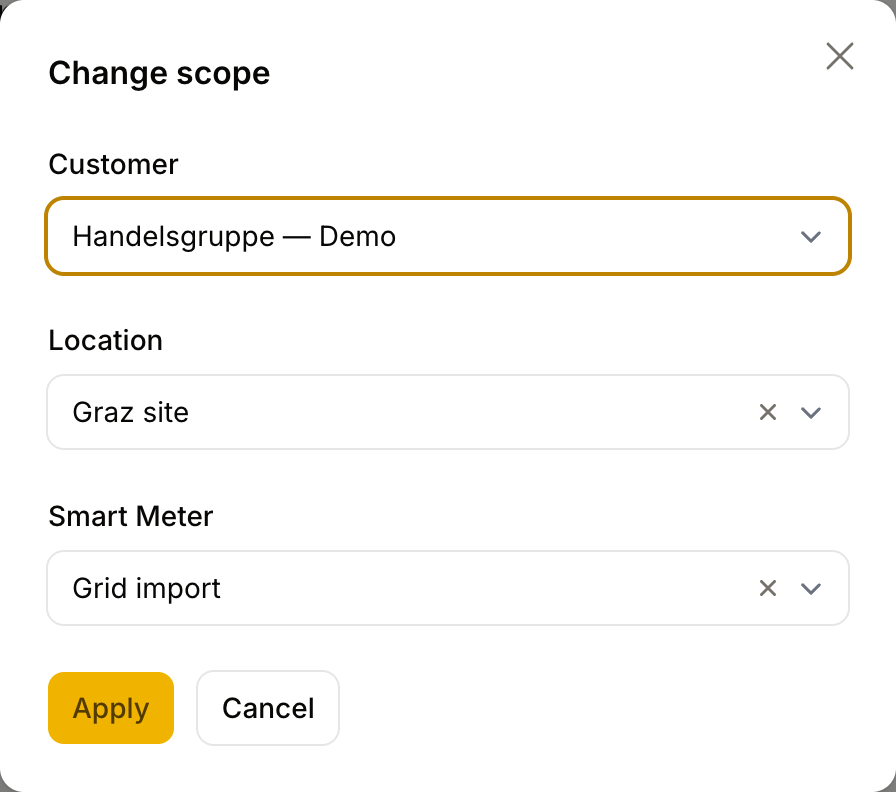
Group metering points by client and site. Select a client to see the relevant buildings and assemble the readings for your engagement.

Organise clients and sites

Customer and site selection for Graz
Portfolio excerpt

Continue the analysis as new readings arrive

For recurring analysis, schedule an export for a metering point, site or client. The selected recipients receive the file by email after the period has closed.

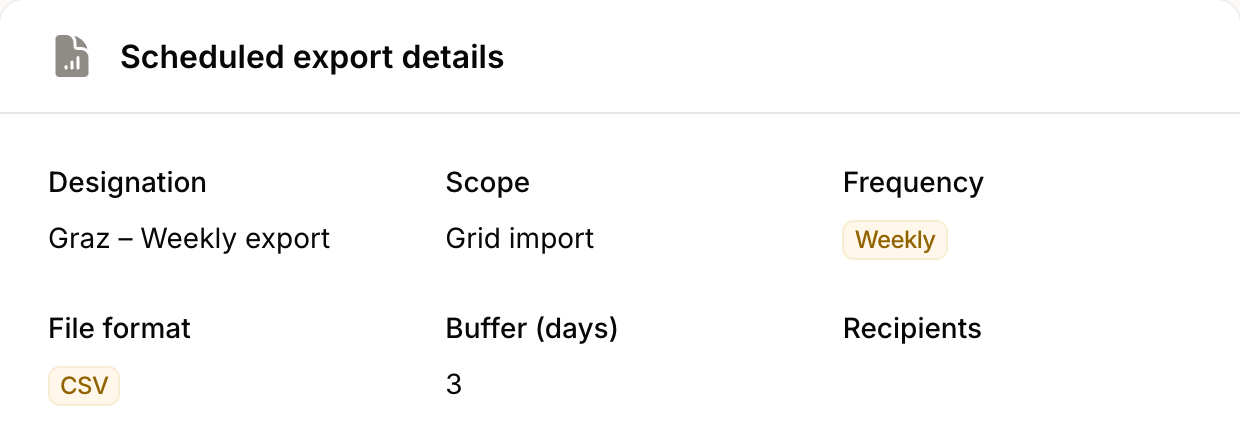
Weekly CSV export configuration for the Graz grid-import metering point
Weekly CSV export

Use the file in your spreadsheet or consulting software for your next analysis.

View scheduled exports
Graz CSV excerpt showing grid-import readings in kWh with UTC timestamps
CSV excerpt · grid consumption · August 31, 2026 to September 6, 2026

FAQ

Questions about using energiedaten.at

No. You manage their metering points in your account.

Once the contract holder approves in the grid operator’s portal, the approval is confirmed within seconds to hours. The first readings follow within one to five working days, depending on the grid operator. From then on, each day’s readings arrive the following day.

Tell us which consulting software you use. We can check whether it can import the readings through a file or data connection.

The readings show electricity imported and fed in at the grid connection. Electricity from a PV system that is consumed within the building is not included as grid consumption. To determine total building consumption, you need additional data, for example from the PV system.

The data coverage view shows missing days and distinguishes measured values from estimates. energiedaten.at requests missing days from ongoing deliveries again. Delivery timing depends on the grid operator.

Grouping metering points by client, the peak analysis and the peak loads report are included from the Plus plan; grouping by site starts with Light. Current prices are on the pricing page.

It is live for every customer with sites. We may still change it, remove it or assign it to a different plan later. Your readings and exports are not affected.

In energiedaten.at, you can send a consent revocation to the grid operator for the metering point concerned. The connection status shows when the grid operator has confirmed the disconnection. The contract holder can also revoke consent in their grid operator's portal.

Use metering data for your client analyses

Manage your clients’ readings centrally and use them in your consulting software or directly in energiedaten.at.

Try energiedaten.at

See plans and prices Discuss your first client project with us.