Benchmarking
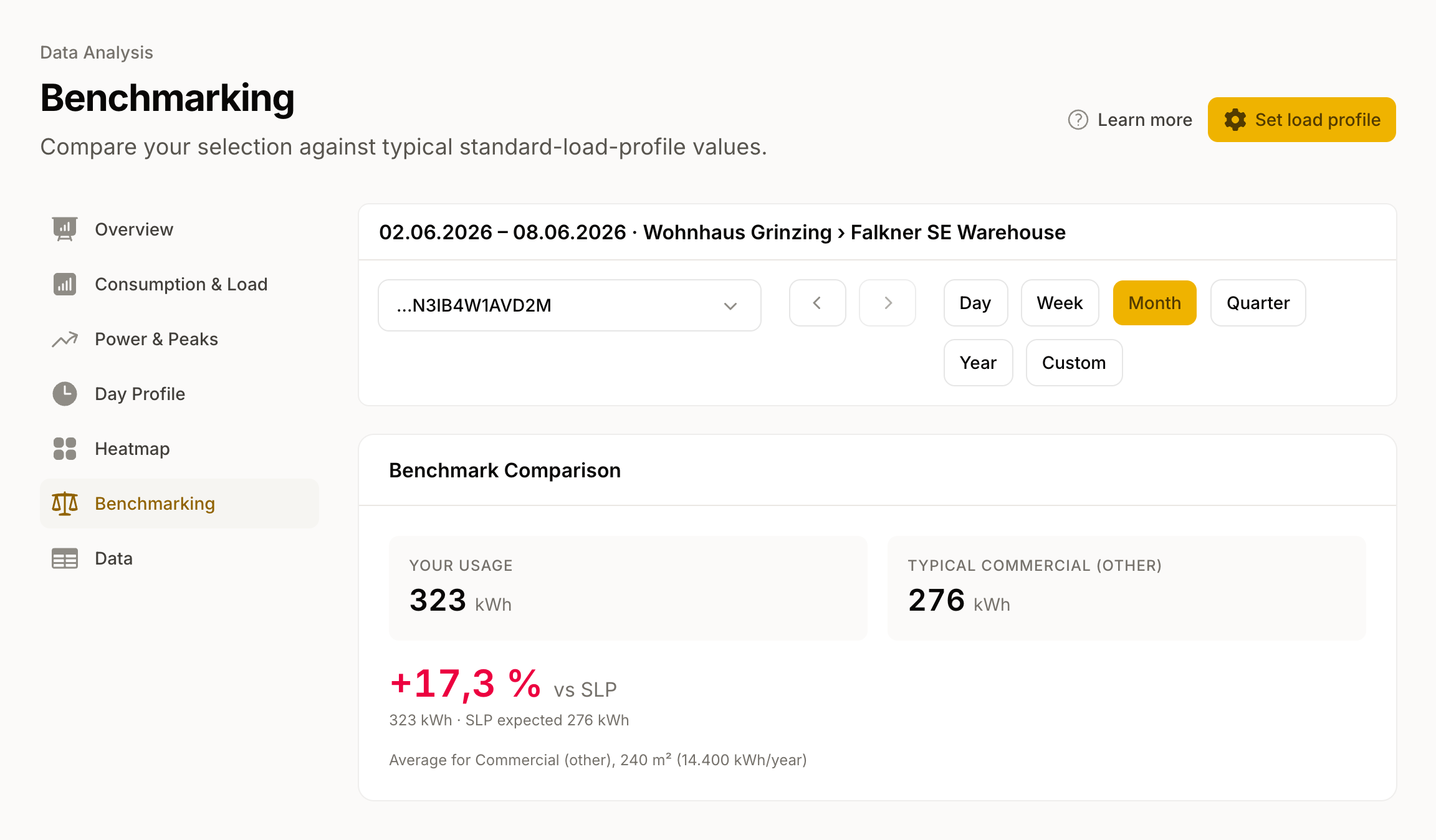
Benchmarking compares your consumption against typical values for your building type. You can see at a glance whether you are above or below the average for comparable buildings.
Note: Benchmarking is part of the advanced analysis, which is included from the Plus plan upwards. The comparison is only available for consumption meters.
How the comparison works
Two values are shown side by side:
- Your usage (annual): the measured quantity in the selected period, scaled up to 365 days. If the period covers less than a year, the caption below reads "Extrapolated from N weeks of data".
- Typical <building type>: the expected value for your building type from our reference figures — residential by number of occupants, multi-tenant buildings by number of units, commercial by floor area in m². We add allowances for electric hot water and for a heat pump.
Next to these you see the percentage deviation ("vs. typical"). A plus means you consume more than typical, a minus means less. If every location in the selection is area-based and a floor area is on file, we also show the house electricity demand (HSB) in kWh/m²·a alongside the typical value.
What the comparison needs
For Benchmarking to calculate, a few details must be complete:
- The meter must be assigned to a location.
- A building type must be set for the location.
- Depending on the building type, we need the floor area, the number of persons, or the number of units.
- The selected period must contain at least 28 days with data. Below that we show a notice instead of the comparison.
If any of these details are missing, we show a notice and link directly to the location settings.
Multiple meters
With multiple meters selected, we compare the sum against a combined benchmark across all the locations involved.
