Set Up Webhooks
Available from the Starter plan.
A webhook is an HTTP POST request that energiedaten.at automatically sends to your URL as soon as new readings arrive for an assigned meter. This gives external systems data immediately when it becomes available, without polling. The data itself is T-1 (values from the previous day).
Create a Connection
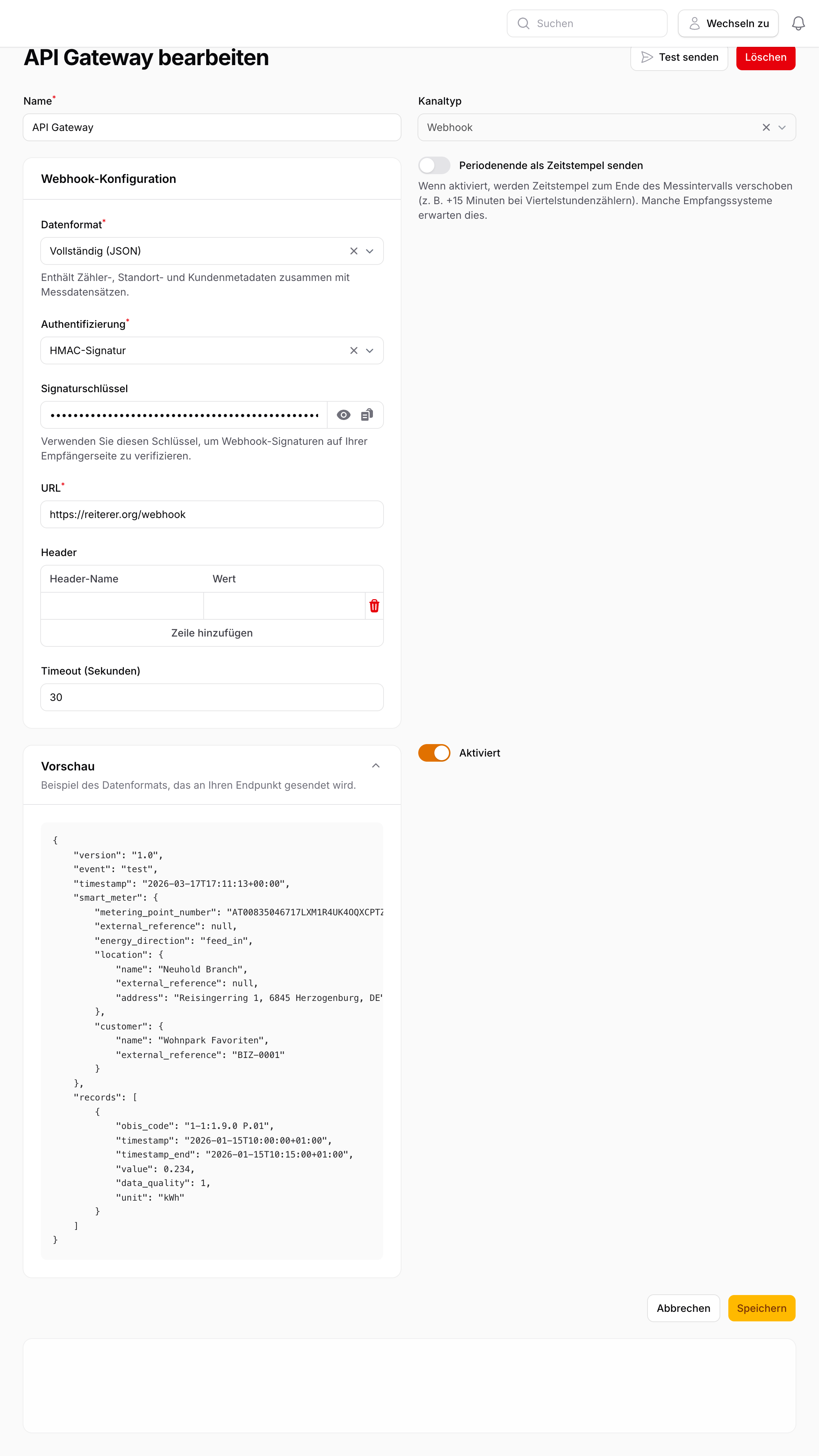
- Go to Delivery → Connections → New Connection.
- Select the type Webhook.
- Enter the target URL (must be HTTPS).
- Choose the desired authentication method.
- Save the connection.
- Assign the meters you want under Routes.
Authentication Methods
| Method | Use case |
|---|---|
| HMAC Signature | Recommended — cryptographic verification of the sender |
| Bearer Token | Simple API token in the Authorization header |
| Basic Auth | Username and password, Base64-encoded |
| None | For internal systems without external exposure |
Payload Format
Each request contains a JSON body with the meter readings:
{
  "meter_id": "AT0010000000000000001000000000001",
  "timestamp": "2025-03-16T08:15:00+01:00",
  "value_kwh": 0.285,
  "unit": "kWh",
  "quality": "measured"
}
Test a Connection
Click Test to send a test delivery with a sample payload to your URL. The response status code is displayed immediately. A 2xx response is considered successful.
HMAC Signature Verification
When HMAC signing is enabled, energiedaten.at adds the X-Signature-256 header to the request. The value is an HMAC-SHA256 hash of the raw request body, signed with your configured signing secret.
Verification in PHP:
$payload = file_get_contents('php://input');
$secret  = 'your_signing_secret';
$header  = $_SERVER['HTTP_X_SIGNATURE_256'] ?? '';

$expected = 'sha256=' . hash_hmac('sha256', $payload, $secret);

if (!hash_equals($expected, $header)) {
    http_response_code(401);
    exit;
}
Retry Behaviour
On failure (no 2xx or timeout), the delivery is retried up to 4 times with exponential backoff. After 5 consecutive failures, the connection is automatically deactivated. Individual failed deliveries can be manually resent under Delivery Logs & Errors.