Set Up Webhooks
Available from the Starter plan.
This article covers data-delivery webhooks: HTTP POST deliveries of your measurement data to an external endpoint as soon as new data becomes available.
Stripe-style event notifications for API resources (
meter.created,consent.granted,consent.revoked) are coming in Phase 2. For now, see Consent flow for status tracking.
A webhook is an HTTP POST request that energiedaten.at automatically sends to your URL as soon as new readings arrive for an assigned meter. This gives external systems data immediately when it becomes available, without polling. The data itself is T-1 (values from the previous day).
Create a Connection
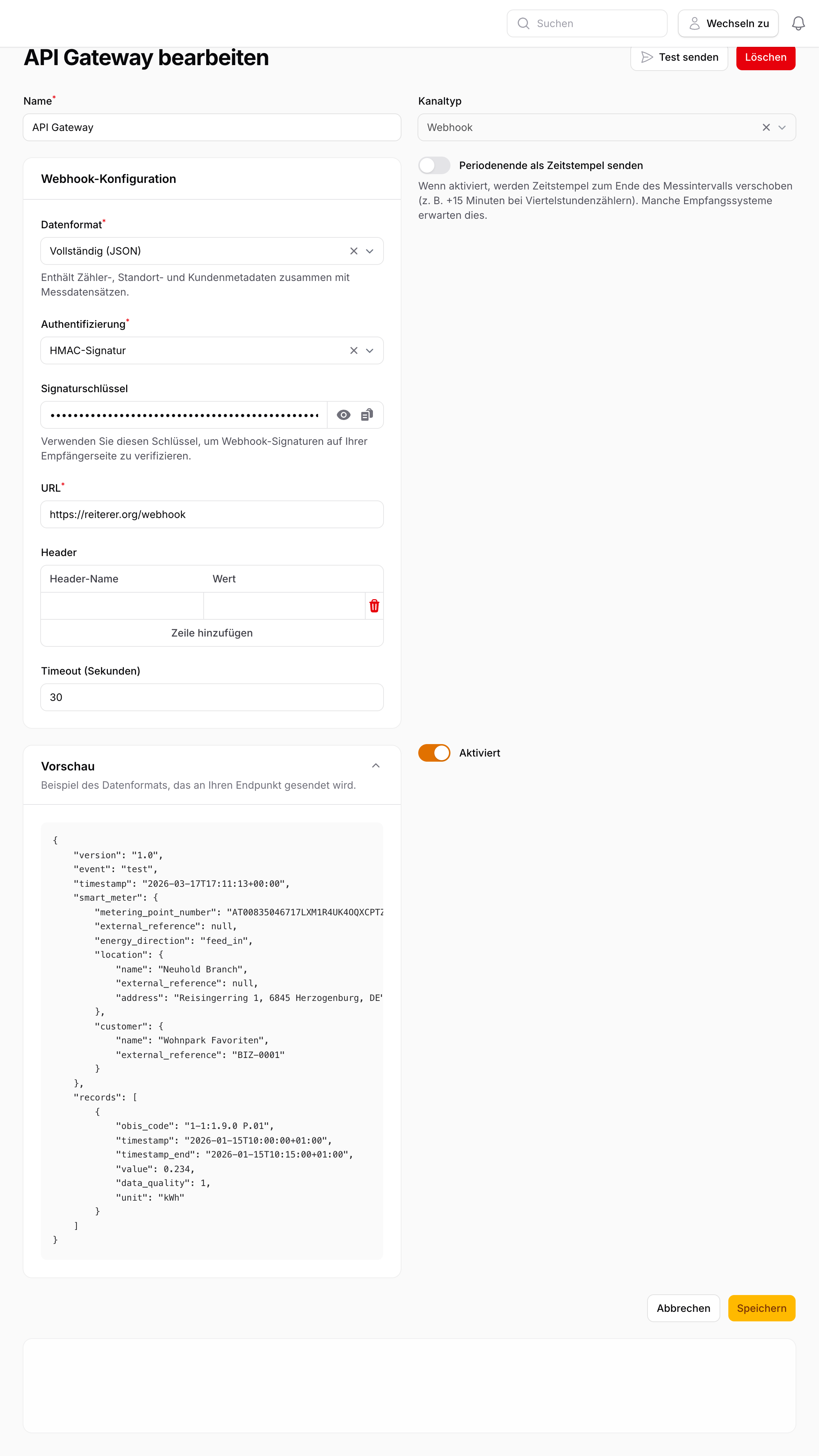
- Go to Data → Data Outputs → New Data Output.
- Select the type Webhook.
- Enter the target URL (must be HTTPS).
- Choose the desired security method.
- Save the connection.
- Assign the meters you want under Routes.
Security Methods
| Method | Use case |
|---|---|
| None | For internal systems without external exposure |
| Basic Auth | Username and password, Base64-encoded |
| Bearer Token | Static token sent in the Authorization: Bearer header; simple to implement, but does not verify payload integrity |
| HMAC Signature (recommended) | Cryptographic signature verification; verifies both origin and payload integrity |
Payload Format
Each request contains a JSON body with the meter metadata and measurement records:
{
  "version": "1.0",
  "event": "measurement.created",
  "timestamp": "2025-03-16T12:00:00+01:00",
  "smart_meter": {
    "metering_point_number": "AT0010000000000000001000000000001",
    "external_reference": "building-7-floor-2",
    "energy_direction": "consumption",
    "location": {
      "name": "Headquarter",
      "external_reference": "HQ-01",
      "address": "Musterstraße 1, 1010 Wien"
    },
    "customer": {
      "name": "Muster GmbH",
      "external_reference": "C-1234"
    }
  },
  "records": [
    {
      "obis_code": "1-1:1.8.0",
      "timestamp": "2025-03-15T23:00:00Z",
      "timestamp_end": "2025-03-15T23:15:00Z",
      "value": 0.285,
      "data_quality": 1,
      "unit": "kWh"
    }
  ]
}
| Field | Description |
|---|---|
event |
measurement.created for real deliveries, test for test deliveries |
smart_meter.metering_point_number |
33-character Austrian metering point ID (Zählpunkt) |
smart_meter.location |
null if no location is assigned |
smart_meter.customer |
null if no customer is assigned or the Customer Management feature is not included in your plan |
records |
Array of quarter-hour readings for the meter |
data_quality |
1 = Measured, 2 = Estimated, 3 = Unreliable |
Test a Connection
Click Test to send a test delivery with a sample payload to your URL. The response status code is displayed immediately. A 2xx response is considered successful.
For experts
HMAC Signature Verification
When HMAC signing is enabled, energiedaten.at adds the Signature header to the request. The value is an HMAC-SHA256 hex digest of the JSON request body, signed with your configured signing secret.
To verify, compute hash_hmac('sha256', $requestBody, $secret) and compare with the header value using a timing-safe comparison.
Retry Behaviour
On failure (no 2xx or timeout), the delivery is retried up to 2 times with exponential backoff. After 5 consecutive failed deliveries, the connection is automatically deactivated. Individual failed deliveries can be manually resent under Delivery Logs & Errors.